If you’re running a small business or just starting out as an entrepreneur, managing your finances can feel overwhelming. Between tracking expenses, sending invoices, and preparing for tax season, it’s easy to get lost in the numbers. That’s where accounting software comes in—and two popular options that often get compared are ZenBusiness Money Pro vs QuickBooks.
Both platforms have gained significant traction in 2024 and 2025, especially among solopreneurs, freelancers, and small business owners looking for reliable ways to manage their books without hiring a full-time accountant. But which one’s actually better for your specific needs? Let’s break it down.

What is ZenBusiness Money Pro?
ZenBusiness Money Pro is a relatively newer player in the accounting software game, but it’s quickly making waves among small business owners and self-employed folks. It’s designed specifically for entrepreneurs who don’t have a background in accounting and just want something simple that works.
The platform started as part of ZenBusiness’s broader suite of business services (they’re known for helping people form LLCs), and Money Pro was launched to help business owners track their finances from day one. It’s kinda like having a smart bookkeeping system that doesn’t require you to be a math whiz.
Key features of ZenBusiness Money Pro include:
- Automated bookkeeping that connects to your bank accounts and categorizes expenses automatically
- Custom invoicing with payment processing through Stripe integration
- Expense and income tracking in real-time
- Tax deduction tracking and preparation tools
- Mileage tracking for business travel
- Client management tools
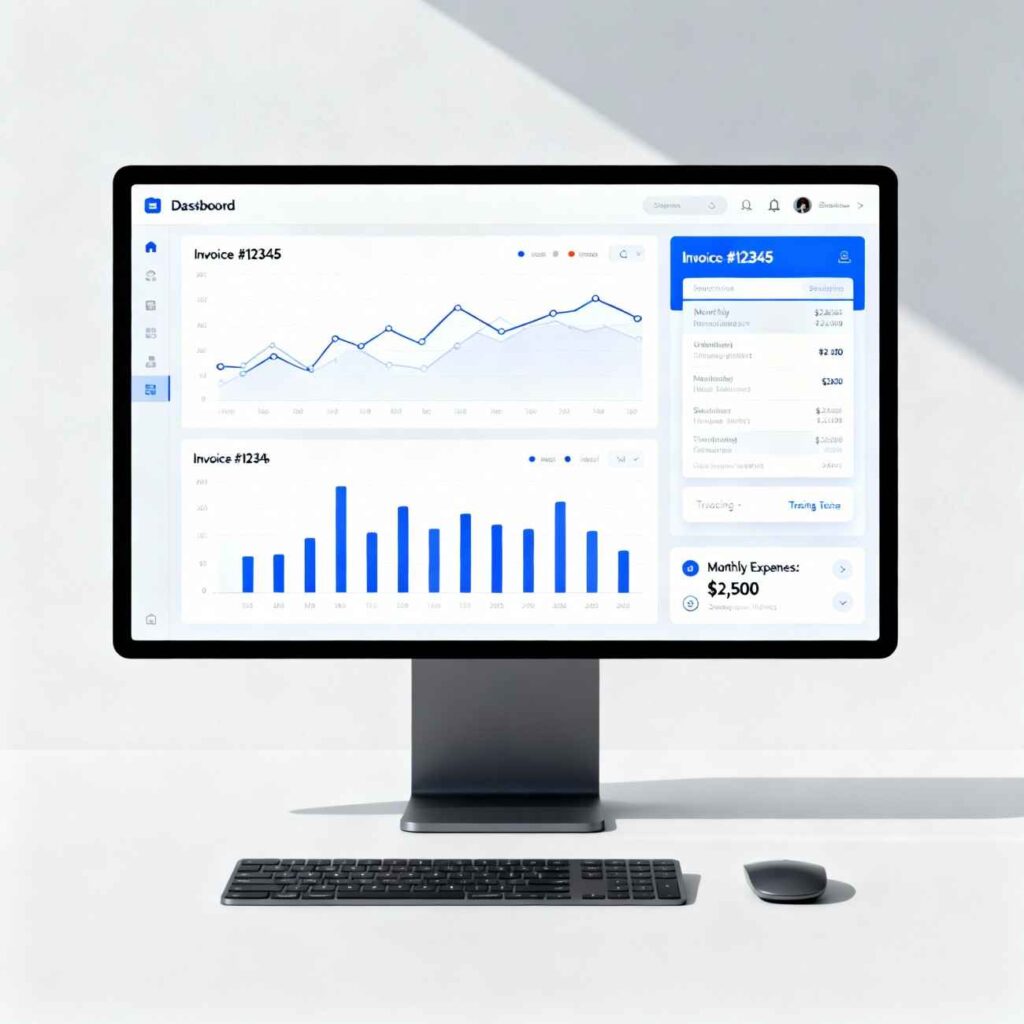
- Smart dashboard for unified financial overview
The big selling point? ZenBusiness Money Pro claims it helps the average customer save around $5,600 per year on their tax bill by calculating valuable tax deductions automatically. That’s a pretty solid return on investment if you ask me.
What is QuickBooks?
QuickBooks, on the other hand, is the industry veteran—it’s been around for decades and is basically the household name when it comes to accounting software for small business. Developed by Intuit, QuickBooks has millions of users worldwide and offers both desktop and online versions.
In 2024 and 2025, QuickBooks Online has been the go-to choice for many small businesses, though it’s also gotten more expensive with regular price increases. QuickBooks is known for its comprehensive feature set and robust capabilities.
Key features of QuickBooks include:
- Advanced invoicing with customizable templates and automated reminders
- Expense management with automatic categorization
- Inventory management (especially in higher-tier plans)
- Payroll processing capabilities
- Project accounting and job costing
- Tax preparation tools and calculations
- Over 750 third-party app integrations
- Multi-user access with customizable permissions
- Advanced financial reporting including profit & loss, balance sheets, and cash flow statements
QuickBooks is designed to scale with your business, offering everything from basic bookkeeping to advanced enterprise-level accounting features.
Key Features Comparison: ZenBusiness Money Pro vs QuickBooks
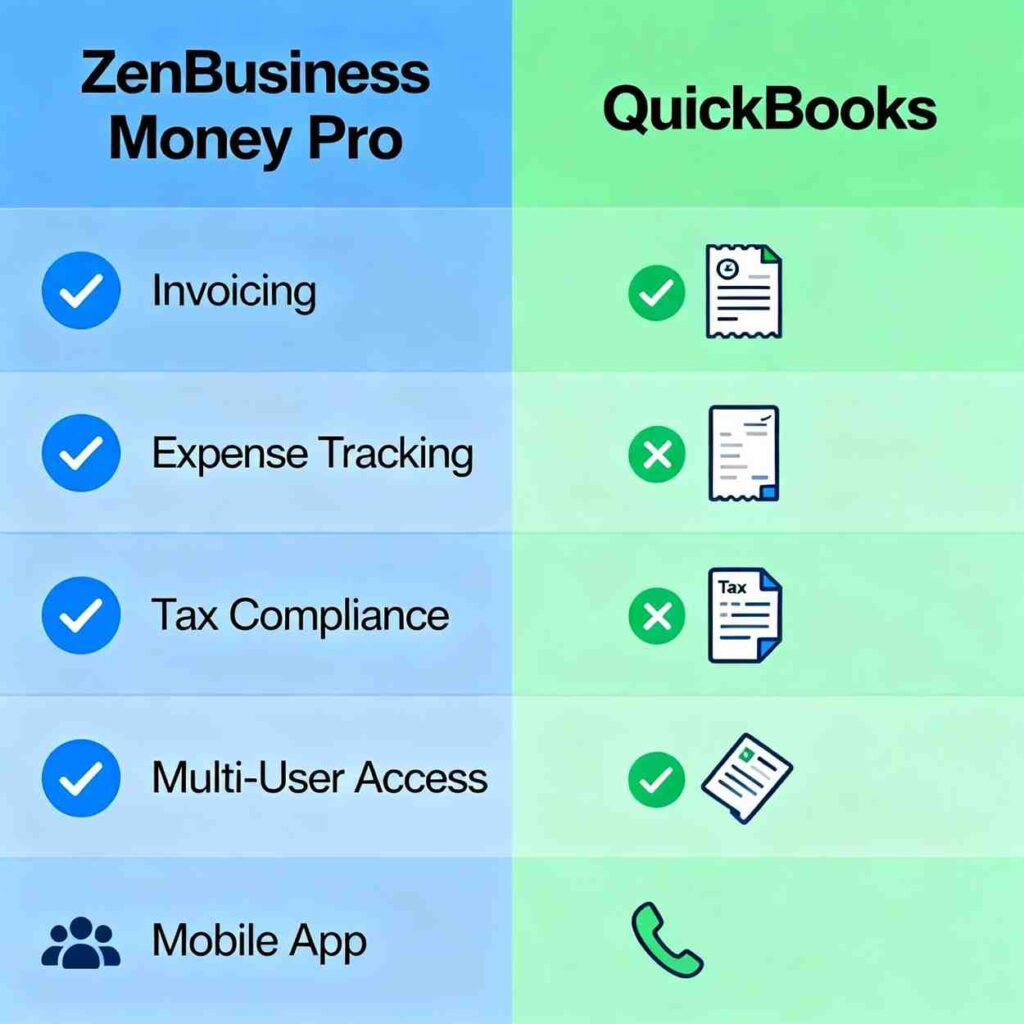
When comparing ZenBusiness Money Pro vs QuickBooks, it’s important to look at what each platform actually offers and how those features match up with what you need.
Invoicing Capabilities
ZenBusiness Money Pro offers professional invoicing with customizable logos and payment reminders. You can send invoices quickly and accept payments via ACH and credit card through their Stripe integration. It’s designed to be fast and simple—create an invoice in minutes without extensive setup.
QuickBooks takes invoicing to another level with multiple invoice types including recurring invoices for subscription services, batch invoices for multiple clients, and progress invoices for long-term projects. You get real-time payment tracking and automated reminders for overdue accounts. QuickBooks also offers more customization options with various templates.
Winner: QuickBooks for complexity and options; ZenBusiness Money Pro for simplicity and speed.
Expense Tracking and Management
Both platforms handle expense tracking, but with different approaches.
ZenBusiness Money Pro focuses on making expense tracking accessible and straightforward for business owners without accounting expertise. It automatically categorizes expenses when you connect your bank account and provides real-time insights. The platform is particularly good at identifying tax-deductible expenses.
QuickBooks provides more granular control over expense categorization and offers advanced features like bill management, purchase orders, and vendor tracking. You can set up custom expense categories and create detailed expense reports.
Winner: QuickBooks for detailed control; ZenBusiness Money Pro for ease of use.
Financial Reporting
This is where the gap between the two platforms becomes pretty noticeable.
ZenBusiness Money Pro provides basic financial reports through its smart dashboard, giving you a clear overview of your income, expenses, and profitability. You can generate profit and loss statements and track your financial health.
QuickBooks excels at financial reporting with over 20+ customizable report types including balance sheets, cash flow statements, accounts receivable aging, sales reports, and detailed profit & loss statements. The Advanced plan even offers AI-powered insights and custom report building.
Winner: QuickBooks, hands down.
Tax Preparation
ZenBusiness Money Pro is specifically built with tax preparation in mind. It automatically tracks deductible expenses, calculates estimated quarterly taxes, and even includes free business and personal tax filing through Column Tax. The system is designed to make tax time stress-free.
QuickBooks also offers tax preparation features with organized tax data and categorized expenses. However, tax filing itself typically requires additional software or accountant involvement.
Winner: ZenBusiness Money Pro for integrated tax support.
Integrations and Scalability
ZenBusiness Money Pro integrates with Stripe for payment processing and connects to bank accounts for automatic transaction syncing. However, it has limited third-party integrations compared to QuickBooks.
QuickBooks boasts over 750 third-party app integrations including popular tools like Shopify, PayPal, Amazon, Square, and various CRM and project management platforms. This makes it incredibly versatile for businesses with complex workflows.
Winner: QuickBooks for integrations and long-term scalability.
Pricing Comparison: What You’ll Actually Pay
Price is often a deciding factor, and there’s a significant difference between ZenBusiness Money Pro vs QuickBooks pricing.
ZenBusiness Money Pro Pricing
ZenBusiness Money Pro costs $20 per month or $200 per year (saving you $40 on the annual plan). This pricing is straightforward—no hidden fees or multiple tiers to navigate. However, some sources also mention a $30 per month pricing, so it’s worth checking their current rates.
The platform is positioned as an affordable alternative to more expensive accounting software, making it accessible for startups and solopreneurs operating on tight budgets.
QuickBooks Pricing
QuickBooks Online pricing has increased significantly over the years, with another price hike in 2025. Here’s the current pricing structure as of 2025:
- Simple Start: $38/month (up from $35 in 2024)
- Essentials: $75/month (up from $65 in 2024)
- Plus: $115/month (up from $99 in 2024)
- Advanced: $275/month (up from $235 in 2024)
To put this in perspective, the Plus plan has increased from $70 in 2020 to $115 in 2025—that’s more than a 64% increase over five years. The Advanced plan jumped from $150 to $275, an 83% increase.
There’s also QuickBooks Solopreneur at $20 per month for freelancers and side gigs.
Additional costs to consider with QuickBooks:
- Payroll services (Core: $50 + $6.50/employee per month)
- Payment processing fees
- Advanced features and add-ons
Winner: ZenBusiness Money Pro is significantly more affordable, especially for small businesses watching their budget.
Ease of Use and User Experience
User experience can make or break accounting software—if it’s too complicated, ya might just go back to spreadsheets (and nobody wants that).
ZenBusiness Money Pro User Experience
ZenBusiness Money Pro is designed with simplicity as its core principle. The user interface is clean, intuitive, and specifically built for people without accounting backgrounds. The platform presents a streamlined dashboard that consolidates essential functions like invoicing, payment processing, and expense tracking.
Users appreciate the quick setup process and helpful reminders that guide them through important financial tasks. You don’t need to spend days learning the system—most people can get up and running within minutes.
Pros:
- Super easy to learn and use
- Clean, uncluttered interface
- Guided experience with helpful prompts
- No accounting knowledge required
Cons:
- Limited advanced features for complex businesses
- Fewer customization options
QuickBooks User Experience
QuickBooks Online has a more complex interface with extensive menus and options. While it’s still considered user-friendly compared to traditional accounting software, there’s definitely a learning curve.
About 58% of users in a recent poll found QuickBooks easy to use, while 42% struggled with it. The divide highlights that user-friendliness is subjective and depends on your prior experience and business complexity.
Pros:
- Intuitive design once you learn it
- Regular updates and improvements
- Accessible from everywhere (cloud-based)
- Strong mobile app functionality
Cons:
- Can be overwhelming for beginners
- Steep learning curve for non-accountants
- Some users report the system being excruciatingly slow at times
- Interface can feel cluttered with multiple features
Winner: ZenBusiness Money Pro for pure simplicity; QuickBooks for those who want more control and don’t mind the learning curve.
Customer Support and Service
Good customer support matters, especially when you’re dealing with something as important as your business finances.
ZenBusiness Customer Support
ZenBusiness has earned strong customer service ratings with a 4.8 out of 5 on TrustPilot and an A+ Better Business Bureau score. They also received the Silver Stevie® Award for Sales & Customer Service.
Customer reviews consistently praise ZenBusiness’s responsiveness and helpfulness. Representatives are described as patient, professional, and knowledgeable. Both chat and phone support are available.
Pros:
- Friendly and helpful staff
- Patient with customers who aren’t tech-savvy
- Award-winning support
- No aggressive upselling
Cons:
- Some users report issues with subscription cancellations
QuickBooks Customer Support
QuickBooks customer support is… well, it’s a mixed bag, to put it nicely. While they offer 24/7 support Monday through Friday, user reviews are often quite negative.
Common complaints include representatives who don’t understand issues, long wait times, inability to resolve problems, and language barriers. Many users report spending hours on calls without getting solutions.
Pros:
- 24/7 availability (weekdays)
- Extensive online resources and tutorials
Cons:
- Frequently described as “the worst customer service”
- Representatives often unable to resolve issues
- Long hold times
- Frustrating experiences reported by multiple users
Winner: ZenBusiness Money Pro by a landslide.
Pros and Cons of ZenBusiness Money Pro
Pros:
- Affordable pricing at $20/month with no hidden fees
- Super easy to use with no accounting knowledge required
- Tax-focused features including free tax filing and automatic deduction tracking
- Great for beginners and solopreneurs just starting out
- Excellent customer support with high satisfaction ratings
- Quick setup that gets you started in minutes
- Saves money on taxes with average savings of $5,600 per year
Cons:
- Limited advanced features compared to enterprise solutions
- Fewer integrations with third-party apps
- Not ideal for complex businesses with inventory management or multi-department needs
- Newer platform with less established track record than QuickBooks
- Limited scalability for rapidly growing businesses
- Basic reporting compared to more robust platforms
Pros and Cons of QuickBooks
Pros:
- Comprehensive features covering virtually every accounting need
- Over 750 integrations with popular business apps
- Strong reporting capabilities with customizable reports
- Industry standard widely accepted by accountants
- Scales with your business from startup to enterprise
- Advanced inventory management and job costing
- Payroll integration for businesses with employees
- Multi-user access with customizable permissions
Cons:
- Expensive pricing that keeps increasing annually
- Steep learning curve for non-accountants
- Complex interface that can feel overwhelming
- Poor customer service according to many users
- Additional costs for payroll, payment processing, and add-ons
- Performance issues with some users reporting slow load times
- Cost prohibitive for the simplest plans
Which One Should You Choose? Recommendations Based on Business Type
The battle of ZenBusiness Money Pro vs QuickBooks really comes down to your specific business needs, budget, and growth trajectory.
Choose ZenBusiness Money Pro if:
- You’re a solopreneur, freelancer, or self-employed individual
- You’re just starting out and need something simple
- You don’t have accounting experience and want guided support
- Your budget is tight and you need affordable software
- You want tax preparation included in your accounting software
- You run a service-based business without complex inventory
- You prioritize ease of use over advanced features
- You’re looking for responsive customer support
Best for: New entrepreneurs, side hustles, consultants, coaches, freelance writers, graphic designers, and other service professionals.
Choose QuickBooks if:
- You have a growing business with complex needs
- You need advanced inventory management or manufacturing capabilities
- You require project-based accounting and job costing
- You have multiple employees and need payroll integration
- You want extensive third-party integrations with your existing tools
- You need robust financial reporting and forecasting
- You’re working with an accountant who prefers QuickBooks
- You have a product-based business like e-commerce or retail
- You can afford the higher monthly subscription
Best for: Established small businesses, product-based businesses, e-commerce stores, construction companies, manufacturers, and businesses with employees.
The Middle Ground Option
If you’re somewhere in between, consider starting with ZenBusiness Money Pro to keep costs low while you’re building your business. As you grow and your needs become more complex, you can always migrate to QuickBooks later. Many businesses outgrow simpler accounting solutions as they scale.
Alternatively, if you’re a freelancer or very small operation, QuickBooks Solopreneur at $20/month offers a middle ground with more features than ZenBusiness Money Pro but less complexity than full QuickBooks.
Conclusion
Both ZenBusiness Money Pro and QuickBooks are solid accounting software options for small businesses, but they serve different audiences and purposes.
ZenBusiness Money Pro shines as an affordable, user-friendly solution perfect for new entrepreneurs, solopreneurs, and small service-based businesses. At just $20 per month with integrated tax support and excellent customer service, it offers tremendous value for those who prioritize simplicity and affordability. The platform’s focus on guiding users without accounting backgrounds makes it an ideal first accounting software.
QuickBooks remains the industry leader for good reason—it offers comprehensive features, powerful reporting, extensive integrations, and the scalability needed for growing businesses. However, this comes at a significantly higher price point (starting at $38/month and going up to $275/month), and the platform has a steeper learning curve. Customer service concerns are also worth considering.
The answer to ZenBusiness Money Pro vs QuickBooks isn’t one-size-fits-all. Think about where your business is today and where you want it to be in 2-3 years. If you’re just getting started or running a simple operation, ZenBusiness Money Pro will likely meet all your needs while saving you money. If you’re already established or anticipating rapid growth with complex accounting requirements, QuickBooks is probably the better long-term investment.
Whatever you choose, the most important thing is to actually start tracking your finances properly—even a simple system is infinitely better than no system at all.
Ready to get started?
👉 Check out ZenBusiness Money Pro here and start managing your finances with confidence at just $20/month.
👉 Try QuickBooks free trial to explore its features and see if the investment makes sense for your business.
Good luck with your business finances—you’ve got this!
Best Option for You to Explore
Given your expertise in web development and freelance work managing multiple client projects, you’d likely benefit from ZenBusiness Money Pro initially. At $20/month, it offers the invoicing, expense tracking, and tax deduction features you need without the complexity or cost of QuickBooks. Since you’re already handling diverse projects from e-commerce customizations to content creation, the simplified interface would save you time on bookkeeping—letting you focus on what you do best: developing and delivering client solutions. As your freelance business scales or if you start hiring, you could then consider moving to QuickBooks for more advanced features.